
Sometimes its impossible to reset your WordPress password. Sometimes I click reset password and I’ve got the right username or email, but I never receive the email. Or sometimes you can’t remember the username or email you used. In either case, the most efficient way to reset your password or username is to login into phpmyadmin and change the password in the database directly.
1. Login to phpMyAdmin through your host’s control panel
2. Open the database from the navigation tree on the left and click “wp_users”

3. Click “Edit” next to the user you want to edit
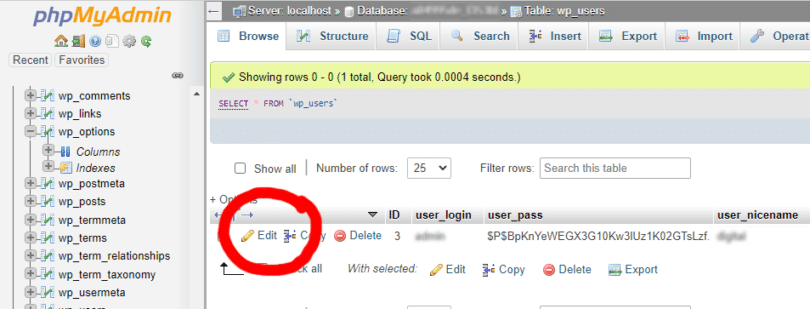
4. Find “user_pass” field row, then type in the password in the value input text area. Then beside the password field, click the Function column dropdown, select “MD5”. When you’ve done both, click “Go” at the bottom right.

That’s it, you should be able to login to your WordPress account. If you need to change your username, you can do that in this area as well.
I hope this helped you!
Leave a Reply